CRON Expression Explainer
Understand what any CRON expression does with a clear, human-readable explanation
CRON Expression
Enter a standard five-field CRON expression to see what it means.
Explanation
Human-readable interpretation of your CRON expression.
CRON Field Reference
EVERYTHING YOU NEED TO KNOW
How to use the CRON Expression Explainer?
A CRON Expression Explainer translates a CRON expression into plain language. It helps you understand exactly when a scheduled task will run without having to interpret the syntax manually.
Simply enter your CRON expression into the explainer and start the analysis. The tool reads each field and provides a clear description of the schedule defined by the expression.
CRON expressions can be difficult to read, especially when they contain multiple values or special characters. An explainer makes them easier to understand and helps reduce scheduling mistakes.
Yes. The explainer can interpret expressions containing common CRON syntax such as ranges, lists, intervals, and wildcards, providing a human-readable description of the schedule.
No. CodeLiqo’s CRON Expression Explainer processes your input directly in your browser. Your expression does not need to be uploaded to a remote server for analysis.
What Does CRON Expression Explainer Do?
CRON Expression Explainer lets you understand what a CRON expression means by converting its syntax into a clear, human-readable explanation. Enter a CRON expression and the tool breaks down each of its five fields: minute, hour, day of month, month and weekday.
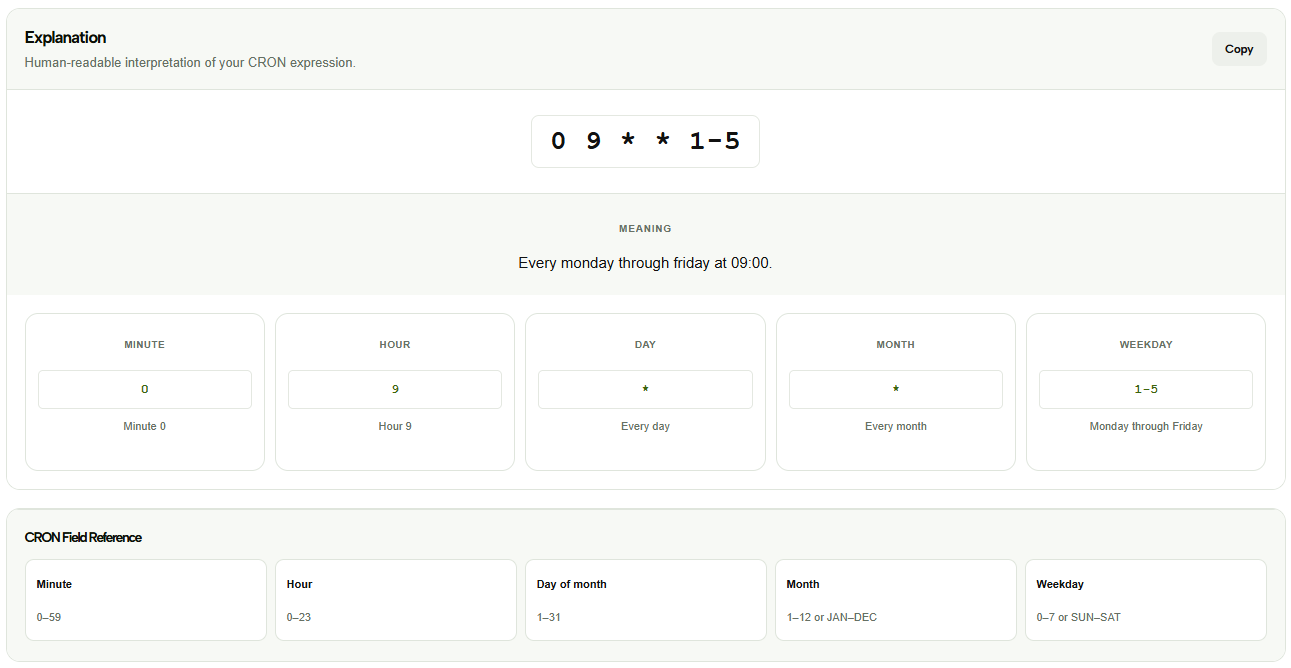
For example, you can enter: 0 9 * * 1-5
The tool interprets this expression as every Monday through Friday at 09:00.
Check the example image below to see how CRON Expression Explainer interprets the expression and displays its meaning. ↓
The explanation section provides a simple description of when the scheduled task will run. Below it, each CRON field is displayed separately with its value and meaning, making it easier to understand expressions that contain ranges, specific values or wildcard characters.
The tool also includes a CRON Field Reference showing the valid range for each field. This can help you understand what values can be used for minutes, hours, days, months and weekdays when creating or modifying a CRON expression.
The field breakdown is especially useful for expressions that use special characters such as *, ranges or specific values. For example, 1-5 in the weekday field represents Monday through Friday, while * means that every possible value is accepted for that field. Seeing each part separately makes complex CRON expressions easier to understand.
You can also use the explanation to check whether an existing schedule matches the intended timing. This is helpful when reviewing automated tasks where a small mistake in one field could cause a job to run at a different time than expected.
CRON Expression Explainer is useful when you have a CRON expression but are not sure exactly when it will run. It can also help you verify an existing schedule before using it for automated tasks, server jobs, scripts or application processes.
More CRON Tools
Need to work with CRON expressions in other ways? Explore our other CRON tools to explain, generate, test and convert CRON schedules.